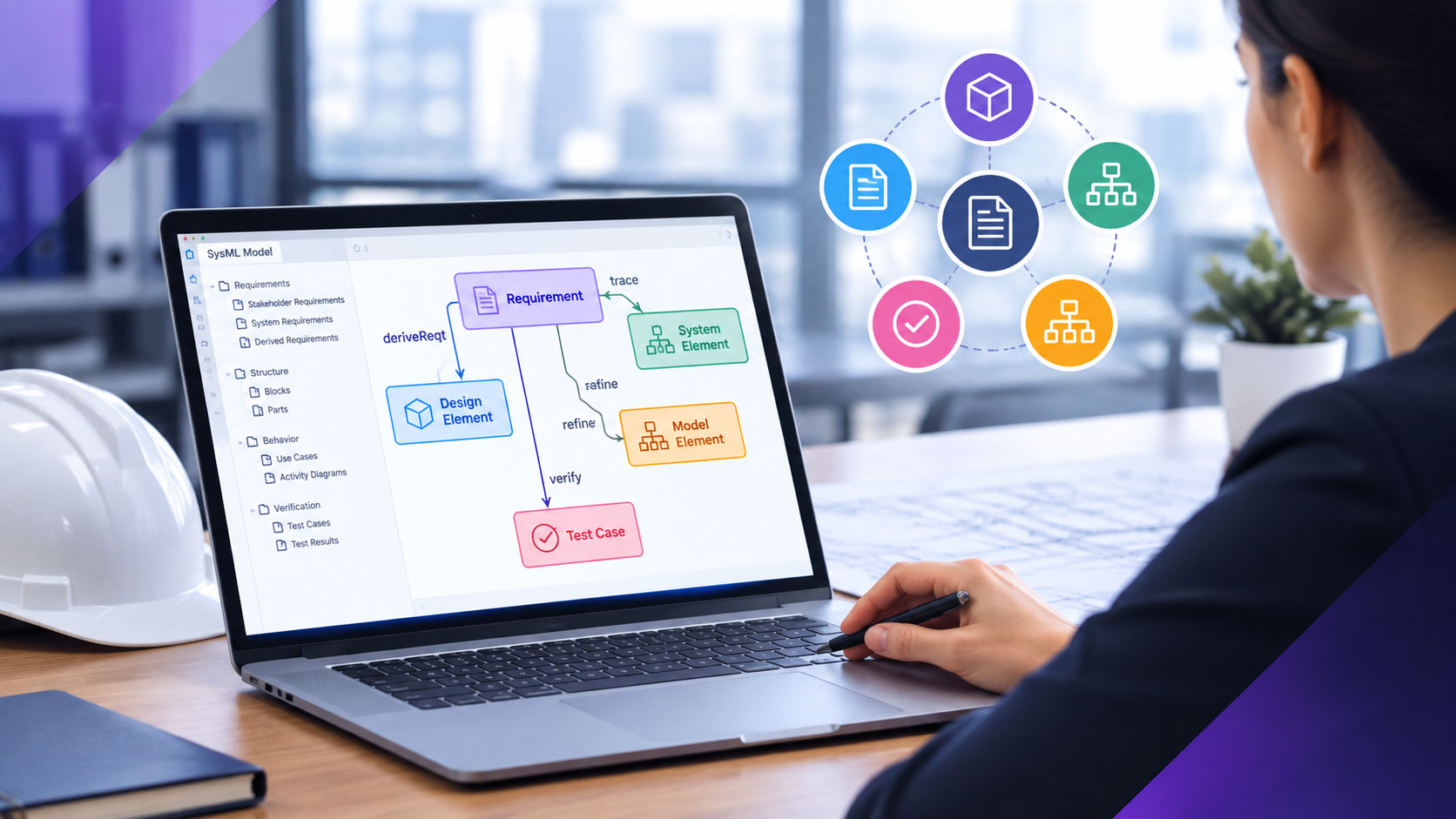
SysML and Requirements Traceability: Linking Model Elements to Managed Requirements
Learn how SysML links requirements to design and verification through...

Writing requirements is harder than it looks. The gap between a requirement that ships great software and one that triggers months of rework usually comes down to small, fixable mistakes. Subtle ambiguity. A vague phrase. A let out clause hidden inside an otherwise solid sentence. A missing attribute. An attempt to design the system instead of describing it.
This guide collects the pitfalls that experienced requirements engineers learn the hard way. If you can spot and fix these patterns before review, you will save your team enormous amounts of time. We have grouped them into practical categories: ambiguity and language traps, the constraints you must capture but often miss, how to break requirements down properly, the attributes every requirement should carry, the document formats that hold everything together, the structural problems that derail readability, and the kinds of questions that surface what users actually need.
Listed below are the most common pitfalls to avoid when defining and writing requirements. In some senses they are the inverse of the definition of writing good requirements. Showing examples of what not to do can help explain the principles better.
Avoidance of ambiguity is one of the subtlest and most difficult issues in writing requirements. Try to write as clearly and explicitly as possible. Remember though, if this is carried too far, the text becomes dull and unreadable, and therefore cannot be improved by other people. Although structured written expression of requirements matters, informal text, diagrams, conversations, and phone calls are excellent ways of removing ambiguity.
Dangerous ambiguities can be caused by the word or, and also by many more subtle errors.
The same subsystem shall also be able to generate a visible or audible caution/warning signal for the attention of the co-pilot or navigator.
Which subsystem? Is the signal to be visible, audible, or both? Is it both caution and warning, just caution, or just warning? Is it for both the co-pilot and the navigator, or just one of them? If just one of them, which one and under what conditions? A single sentence, a dozen unanswered questions.
Requirements which contain conjunctions (words that join sentences together) are dangerous. Problems arise when readers try to puzzle out which part applies, especially if the different clauses seem to conflict, or if the individual parts apply separately.
Dangerous conjunctions include and, or, with, also.
The battery low warning lamp shall light up when the voltage drops below 4.8 volts, and the current workspace or input data shall be saved.
That is at least three requirements wrapped into one sentence. Each one needs its own line, its own ID, its own test.
Requirements which contain let outs or escapes are dangerous. They look as though they are asking for something definite, but at the last moment they back down and allow for other options. Problems arise when the requirements are to be tested, and someone has to decide what (if anything) could prove the requirement was not met.
Dangerous let outs include: if, when, but, except, unless, although.
The forward passenger doors shall open automatically when the aircraft has halted, except when the rear ramp is deployed.
The fire alarm shall always be sounded when smoke is detected, unless the alarm is being tested or the engineer has suppressed the alarm.
That second example is a truly dangerous requirement. Imagine the failure mode: the engineer suppressed the alarm last week and forgot to re-enable it. The system is technically compliant. The building burns down. Let out clauses always open this kind of door.
Long rambling sentences, especially when combined with arcane language, references to unreachable documents, and other defects of writing, quickly lead to confusion and error.
Provided that the designated input signals from the specified devices are received in the correct order where the system is able to differentiate the designators, the output signal shall comply with the required framework of section 4.2.6 to indicate the desired input state.
Read that twice. Now imagine a developer trying to implement it, or a tester trying to verify it. The requirement might be sound at its core, but it has been buried under so much language that nobody can extract it. Strip it back. Use short, direct sentences. If you find yourself writing nested conditional clauses, you almost certainly have multiple requirements that need to be split apart.
Requirements specify the design envelope, and if we supply too much detail, we start to design the system. Going too far is tempting for designers, especially when they come to their favorite bits. Danger signs include names of components, materials, software objects and procedures, and database fields.
The antenna shall be capable of receiving FM signals, using a copper core with nylon covering and a waterproof hardened rubber shield.
That is a design specification dressed up as a requirement. Specifying design rather than actual need increases the cost of systems by placing needless constraints on development and manufacture. Often knowing why is much better than knowing what.
The user requirements form a complete model of what users want. They need to be organized coherently to show gaps and overlaps. The same applies to system requirements: they should form a complete functional model of the proposed system. A quick road to confusion is to mix up requirements for users, systems, and how the system should be designed, tested, or installed. Danger signs are any references to system, design, testing, or installation inside what is supposed to be a user requirement.
The user shall be able to view the currently selected channel number which shall be displayed in 14pt Swiss type on an LCD panel tested to Federal Regulation Standard 456-78 and mounted with shockproof rubber washers.
Somewhere in there is a real user requirement (the user wants to see the channel number). The rest is design specification, supplier qualification, and installation detail. They belong in different documents and different sections, not jumbled together.
Requirements are part of a contract between customer and developer. There is no room for wish lists, the kind of general terms about things that somebody probably wants. Danger signs include vagueness about which type of user is speaking, and generalization words: usually, generally, often, normally, typically.
Users normally require early indication of intrusion into the system.
Which users? How early? What counts as intrusion? Compare that to a real requirement: “The security administrator shall be alerted within 30 seconds of any unauthorized login attempt.” Specific, testable, ownable.
Some constructions, such as the use of or and unless in requirements, allow different groups of readers to understand different things from the same wording. Developers could use this technique deliberately, so as to postpone, until too late, any possibility of the customer asking for what was truly wanted. This is dangerous and could easily backfire.
The only approach that works is for developers to make requirements as clear as possible, and for all stakeholders to co-operate. In the long run, project success is in everybody’s interest. Playing word games to dodge accountability turns requirements into a battlefield, and nobody wins on a battlefield.
Many words used informally to indicate system quality are too vague for use in requirements. Vague terms include: user-friendly, versatile, flexible, approximately, as possible. Requirements using these terms are unverifiable because there is no definite test to show whether the system has the indicated property.
The print dialog shall be versatile and user-friendly.
The OK status indicator lamp shall be illuminated as soon as possible after the system self-check is completed.
How would you ever test these? “As soon as possible” could be 100 milliseconds or 30 seconds. “User-friendly” means whatever the reader thinks it means. Replace these terms with measurable criteria. “Within 2 seconds.” “Requires no more than 3 clicks to complete.” “Achieves a System Usability Scale score of 80 or higher.”
Suggestions that are not explicitly stated as requirements are invariably ignored by developers. Possible options are indicated with terms such as: may, might, should, ought, could, perhaps, probably.
The reception subsystem probably ought to be powerful enough to receive a signal inside a steel-framed building.
If you want it, demand it. If you do not need it, leave it out. There is no middle ground in a requirements document.
Engineering is a real-world activity. No system or component is perfect. Wishful thinking means asking for the impossible. Wishful terms include: 100% reliable, safe, handle all unexpected failures, please all users, run on all platforms, never fail, upgradeable to all future situations.
The gearbox shall be 100% safe in normal operation.
The network shall handle all unexpected errors without crashing.
Both sound reasonable on the surface. Both are completely untestable. “All unexpected errors” includes errors nobody has thought of yet. “100% safe” cannot be proven. Replace impossibility with a measurable threshold: “The system shall maintain availability of 99.95% across rolling 30-day windows.” That you can verify.
Many requirements are not functions, but qualities of behavior that users want. In this way they constrain the system within acceptable operational bounds. These constraints are also referred to as non-functional requirements, again, because they do not specify functions of the systems.
Examples of the most common and important non-functional requirements include performance, interface, safety, and a group referred to as the ilities (reliability, availability, maintainability, portability, and others). Your system may have other constraints resulting from the uniqueness of your problem area. Do not hesitate to define new and specific constraints.
Two general guidelines about constraints:
Performance requirements typically quantify the operational value of other requirements. Performance requirements are often a numeric value assigned to the requirement, or even more typically have a relationship between two or more requirements. Make sure they are visualized together and that the end-to-end performance constraints apply to the whole system. Examples of performance requirements include calls per hour, response time, flight range, and number of fixes.
Interface requirements in a User or System requirements document usually mean a wholly external companion or co-operating system. In this case an interface requirement should specify only two end points and specify the purpose and what the payload across the interface is.
Safety requirements define those qualities the system must have to ensure safety of the system. These include rounded edges, grounding, hazardous materials, noise levels, and all the hazards and faults that could threaten safety. Define safety requirements by analyzing the functions, and later the design, of a system to consider how likely each hazard is, what can be done to reduce it to an acceptable level, and what to do if a breach of safety occurs.
Training is often an issue in large systems as a good number of people must be trained, retrained, and perhaps certified. Training requirements should specify the type and location of training (embedded, classroom, individual, and field), desired length of training (hours, days, and weeks) and type of people to be trained. State any pre-requisites or start of training criteria the system might place on those trained.
Most systems require a large amount of documentation upon system delivery. Types of documents, such as user manuals, installation guides, training material (related to training requirements), and maintenance manuals are some examples. Guidelines on length of documents, reading level, format, and medium (paper, CD, or web-based) may also be specified.
| Constraint | What It Defines |
|---|---|
| Reliability | How long must the system function under normal and abnormal conditions? Minimum times (minutes, hours, days) should be specified for how long the system should operate before incurring downtime, reboots, or going off-line. |
| Portability | Defines the desired level of system portability to other platforms, usually in terms of percentage of code to be rewritten in order for the software to run on another system. Portability requirements can also mean requirements for different methods of transportability (rail, air, truck or ship) and any such consideration like fuel level, max wind speed protection, shake, rattle, and roll. |
| Maintainability | Description of the system's maintenance requirements should be specified. Types and level of maintenance (User, Level 1, Field, preventative, and manufacture) should be defined as well as distribution method for updates, who will perform the maintenance, and any documentation required. Others include time between repairs, time to repair, and any warranty information. |
| Availability | Length of time the system should be ready for use is in-service, or operational. Often specified as a percentage of time during a given interval. Can also specify or point to what actions to take if the time or percentage drops below that level (call maintenance, issue a report, and so on). |
Part of defining a good set of requirements is in breaking a high-level activity or function down into smaller steps or sub-functions. This part of getting it right means the following four moves:
First, identify the goal for the whole problem. This is simple if you begin with the word to, as this gets you thinking about a single action or mission. For example, the goal for a transportation enterprise is to get the goods delivered. The goal for an accounting office is to get payment for the company’s products.
Next, write down the short sequence of key steps that you must take, to achieve the goal. You may be able to do this directly with the help of some users. Starting at the end (having reached the goal) and working backwards is the easiest approach.
Zum Beispiel:
You can see why it helps to work backwards a step at a time, because the answer, for each small step, is usually simple.
Organizing the user requirements into a time sequence (or operational scenario) works well. For a first cut, the key results needed by users form a single normal business sequence: a clear flow from first to last. You can step through the structure like a scenario, and quickly detect gaps and duplication. Later, you will add other sequences, such as abnormal behavior or exception handling. These will build more structure around the first cut sequence. For example, you can expect emergency actions to branch off from the sequence of normal actions.
Once the high-level steps to achieving the goals are agreed upon, decompose each step into the smaller steps needed to reach its goal, and again check out your understanding with the users.
If progress towards the goal is built up in stages, the final step to reaching the goal is similar to the goal itself. Conversely, sometimes several goals can be worked on simultaneously. For example, to respond to a major incident, three sub-goals can be worked on in parallel, and none of them resemble the overall goal.
Some steps may involve plenty of work. Calculating the invoiced amount for an important customer may mean keeping a complete database covering orders, previous payments, discounts, state taxes, delivery charges, credit notes, and much more. So you can repeat the process just explained, breaking each step down as if it were the goal.
The steps leading to a goal are usually simple for users to identify. See how much easier it is to understand the problem when it is arranged in order. Structure makes it easy to see what is there, and what is missing. Make the structure easier to understand by:
One of the main by-products of decomposition is the relationship between other requirements as we break them down. Make sure you take time to understand and capture each of these relationships, as they will be extremely valuable later on.
To illustrate, consider a simple patient aid system. Start with the top level goal: the end result that the user actually wants from using the system, which is to help the patient recover. Then define the steps or subclass leading to that goal. Review the set of results that these high-level goals provide: are they what the users actually want?
In this case, the results are that the patient’s call is received, the aid needed by the patient is defined, the patient is taken to a hospital, and the defined medical aid is supplied to the patient. Together, these results plainly do achieve the top-level goal, which is to help the patient recover. How each of the results is to be achieved is not yet defined; but fortunately, even without that knowledge, users can agree with (or correct your understanding of) the goals. Using this approach, you can therefore be sure at every stage that the requirements are correct.
To prepare to treat patients in a major incident, the parallel sub-goals look like this:
None of these resembles the overall goal of helping a patient recover, yet all three must run simultaneously. That is the kind of relationship that good decomposition surfaces.
Attributes are a very important source of requirements information. Just as every person has attributes (age, hair color, gender), each requirement has a source, a relative importance, and time it was created. Attributes not only extend the meaning of each requirement; if created properly, they can yield significant information about the state of the system.
Just as a query can be made on all men with brown hair over age 40 given our human example, queries on the status of requirements can be made such as all high-priority requirements from the customer in the last 30 days. This is exactly the kind of insight a tool like Modern Requirements is built to deliver natively inside Azure DevOps, turning a static spec into a queryable, traceable system of record.
Some attributes are best described as a number, date, boolean (true or false) or a text field for entering free format comments. Other attributes can be expressed as lists. For instance, priority type is a list of high, medium, and low. Weekday is a list which includes Monday, Tuesday, and so on. Listed below is a partial list of common attributes:
| Attribute | What It Captures |
|---|---|
| Quelle | Person, document or other origin of a given requirement, useful in determining whom to call for questions or whether the requirement needs to be grouped by persons making the demands. |
| Priority | Statement of relative importance of the requirement, either to the system (mandatory, critical, optional) or to other requirements (high, medium, low). It is good to track the mandatory or high as an indication of how well the system will meet the greatest needs or for metrics concerning compliance. |
| Assigned to | Who in the organization is responsible for making sure the requirement is met (person's name or organizational name). |
| Kommentare | Reviewer's or writer's comments on a requirement. |
| Difficulty | An indication of the level of effort needed or how hard it will be to implement the requirement (high, medium, low). |
| Status | Degree of completeness (completed, partial, not started). |
| Risiko | Confidence measure on the likelihood of meeting (or not meeting) a requirement. Could be high, medium, low or one through ten. |
| Due By | Date the requirement must be provided. |
| Method of Verification | Qualification type to be used to verify that a requirement has been met: analysis, demonstration, inspection, test, and walkthrough. |
| Level of Test | Describes the verification lifecycle stage at which the requirement is determined to be met: unit test, component, system or product. |
| Subsystem Allocation | Name of system or subsystem a requirement is to be assigned to (flight control module, wing assembly, passenger cabin). |
| Test Number | Identification of a test or other method of verification. |
A word of warning: be careful of using more attributes than you have time to maintain. The result is often out-of-date data, which is worse than no data at all.
Once requirements data is gathered, it needs to take shape as an information source. One of the best ways of ensuring that the results of the requirements effort are put to good use is by effectively formatting requirements documents. Two of the main documents used to contain requirements are the User and System Requirements documents.
The User Requirements Document focuses on what users need from the system. It captures the problem in user language, organized by goals and user types. The vital thing is to communicate the user’s needs to the designers. You can always extend or modify a standard document as long as you explain why you are doing so. If the standard does not provide a section for a necessary piece of information, just insert the information.
A typical URD outline includes:
| Section | Zweck |
|---|---|
| Product Perspective | Introduce the system and its context. |
| General Capabilities | What and why these capabilities are needed. |
| General Constraints | What and why the constraints are needed. |
| User Characteristics | Who will use the product and when. |
| Operational Environment | Other systems and their interfaces. |
| Assumptions and Dependencies | Assumptions the requirements are based on. |
| Capabilities | The functions the user wants. |
| Constraints | The qualities demanded by users. |
The System Requirements Document is much more involved and detailed. This is the first time the solution takes shape and is defined. Many of the formats of the URD are present, but greater emphasis is placed here on constraints and how the system is to be verified.
A typical SRD outline includes:
| Section | Zweck |
|---|---|
| System Description | Describe the system and its purpose. |
| System Context Diagram | Position of system to the rest of world. |
| Functional Breakdown | Core details of functions to be performed. |
| Operating Modes and States | Different operating options and forms the final system will take on. |
| Performance | This is often the largest section. |
| External Interface | One for each external interface. |
| Safety, Functional, Non-Functional | List of possible constraints. |
| Verification Method | Describes how and when system is tested. |
| Trace Back to User Requirements | Relationship on which to base requirement. |
Below are problems commonly found with requirements. Be careful to learn these dangers and avoid them on your project. Any one of the following problems could seriously affect your project:
In the real world, requirements are sometimes organized very confusingly. If you see a document where development methods are mixed in with user requirements, design constraints are jumbled with functions, general development constraints are muddled with product functions, designers have started designing the system inside what should be a requirements document, unrelated functions are lumped together, and dust bin categories like Miscellaneous or Other have appeared, you’ll know you have some serious work to do.
Work out which documents each of the headings should be in. Likely candidates are the User Requirements, System Requirements, Architectural Design, Development Plan, and Maintenance Plan (among others). Untangle them. Each one belongs in its own home, with its own audience, its own review process.
| Problem | Solution |
|---|---|
| All readers need to understand the requirements | Write requirements in everyday language |
| Long list of requirements is impossible to understand | Make a simple structure of chapters and sections to group the requirements |
| Requirements don't show what comes first | Organize the chapters and sections in time order |
| Some requirements can be applied simultaneously, or in any order. A sequence is unnecessarily tight ordering | Mark whether sections in the structure are sequences, parallels, or alternatives |
| The basic sequence of requirements doesn't show what to do if something goes wrong | Add a section for each exception, at the place where it could occur in the normal sequence |
| Some constraints apply to several requirements | Use a requirements tool to link them together |
| Users find it hard to get an overview of the whole document | Add a simple diagram, write an overview, or find out why they find it hard and restructure the document |
Many people can unknowingly find themselves writing contorted and ambiguous requirements. Here is what can go wrong:
The system shall perform at the maximum rating at all times except that in emergency it shall be capable of providing up to 125% rating unless the emergency continues for more than 15 minutes in which case the rating shall be reduced to 105% but in the event that only 95% can be achieved then the system shall activate a reduced-rating exception and shall maintain the rating within 10% of the stated value for a minimum of 30 minutes.
Inside that one paragraph hide every warning sign in the book. “Except” signals the muddle. “But,” “unless,” “in which case” all flag conflicting requirements being created and mixed up. “And” with another “and” warns that two or more requirements are being joined. There is even a hidden requirement for handling emergency exceptions tangled up with the normal-condition requirement.
Compare it to this one:
The system shall provide general word processing facilities which shall be easy to use by untrained staff and shall run on a thin Ethernet Local Area Network wired in the overhead ducting with integral interface cards housed in each system together with additional memory if that should prove necessary.
That sentence cheerfully mixes general vagueness (“easy to use,” “usual,” both impossible to test) with physical layout details (“overhead ducting”), technical components of the design (Ethernet, card), and user needs (word processing) all in one place. The let out at the end (“if that should prove necessary”) tells you the writer has not really decided what is needed. Why is it there? That hidden purpose is probably the actual requirement.
Listed below are some types of questions you can use to elicit good requirements from the people you interview. Generally, the questioning will proceed from the general to the specific.
| Typ | Definition | Usefulness | Dangers |
|---|---|---|---|
| Open Ended | Prompt for a broad response in a general area | Open up a quiet customer | Avoid with customers who will wander |
| Is Not | Prompt for broad responses on topics not covered before | Obtains completeness | Could imply distrust |
| Pregnant | Planned silence after which the customer talks first | Open up a quiet customer | Can intimidate |
| Vanilla | Comment requesting expansion by the customer | Directs statements to more detail | May encourage trivia |
| Assertion | Statement inviting agreement and expansion | Requests commitment and amplification | Interruptions can intimidate |
| Negative | Asking for conditions when previous statements become untrue | Fills in gaps and exceptions | May encourage excess detail |
| Closed Ended | Questions to produce a limited set of answers | Focuses on specifics | Too many are intimidating |
| Chin First | Phrasing to imply a 'correct' answer | Lead customer towards a conclusion | Customer may feel trapped |
| Summary | Rephrase of prior statements | Test completeness and confirmation | May encourage invention |
Each question type has its place. Open ended questions get the conversation flowing. Closed ended questions narrow it down. Pregnant pauses (planned silence) often surface the most honest answers, because people will fill the silence with what they really think. Use them deliberately. Mix them. Pay attention to which ones trigger detail and which ones shut a stakeholder down.
Reading a list of pitfalls is one thing. Catching them at scale, across hundreds of requirements written by dozens of contributors, is another. That is where the right platform earns its keep.
Modern Requirements is built into Azure DevOps, which means every requirement lives next to the work items, test cases, and code that satisfy it. The traceability you need to manage change is automatic. The attributes mentioned earlier (priority, source, status, verification method, due date) are configurable and queryable. Reviews and approvals run inside structured workflows, so the configuration management problem in the Top 10 list never becomes your problem. Document generation produces clean URDs and SRDs pulled live from the requirements themselves rather than copy-pasted into a stale Word file.
The pitfalls do not disappear because you bought a tool. But the right tool makes the pitfalls visible, fixable, and far less expensive when they do show up.
✅ Definieren, verwalten und verfolgen Sie Anforderungen innerhalb von Azure DevOps
✅ Arbeiten Sie nahtlos mit regulierten Teams zusammen
✅ Starten Sie KOSTENLOS – keine Kreditkarte erforderlich
Learn how SysML links requirements to design and verification through...
Manage and organize software requirements efficiently with Azure DevOps and...
ISO 24089 governs automotive software update engineering and supports UNECE...

End-to-end requirements management in Azure DevOps.

AI-powered assistance for DevOps workflows.

Autonomous AI agents for DevOps execution.

Compliance management, built into Azure DevOps.

Real-time data sync across tools and systems.