Skip to content

Requirements Traceability Matrix (RTM): Detailed Guide, and Best Tools for 2026

Diagram showing the steps of requirements traceability.
Listen to this blog

As DevOps teams develop increasingly complex projects, tracking activities, changes, and updates becomes a challenge. In this environment, requirements traceability tools are now a critical component of any software development project.

Traceability is the practice of tracking the lifecycle of requirements and work items in a project throughout the project/product lifecycle. Clear and updated traceability helps teams understand the potential impact of changes to work items. 

Traceability tools facilitate this process by enabling teams to manage and document software development activities across a project’s lifecycle. These tools help teams track requirements and code edits, bug fixes, compliance levels, and more.

A recent survey showed that 68% of senior supply chain leaders consider traceability to be “very or extremely important.” This blog addresses what traceability tools are, their role in software development, their implementation, evaluation criteria, and highlights the best traceability tools available in the market.

What Is a Requirements Traceability Matrix (RTM)?

A requirements traceability matrix is a document or dynamically generated report that maps every requirement in a project to the artifacts that address it: design specifications, code components, and test cases. It is the tool that connects what the system must do to the proof that it was built and verified correctly. 

The RTM answers the four questions that auditors, project managers, and QA leads ask most often: 

  • Is every requirement covered by at least one test case? If the test case column is empty for a requirement, that is a coverage gap and a compliance risk before release. 
  • Does every test case trace back to a requirement? A test case with no linked requirement is an orphan. It may be wasted testing effort, or it may indicate an undocumented requirement. 
  • What requirements were affected when this design element changed? An RTM shows the full impact chain immediately rather than requiring manual cross-referencing across documents. 
  • What is the audit evidence that requirement REQ-045 was verified? The RTM provides a single view showing the test case, the execution date, the tester name, and the pass or fail outcome. 

Without an RTM, answering these questions means searching through Word documents, spreadsheets, and email threads. 

Forward, Backward, and Bidirectional Traceability: What Each One Does

Traceability is not a single direction. The three types of traceability serve different purposes at different stages of a project. Understanding which direction to trace and when determines whether your RTM is answering the right question for the situation. 

TypeDirectionKey Question It AnswersWhen to Use ItWhat It Identifies
Forward TraceabilityRequirements to design to testsHave all requirements been addressed in the design and verified through testing?Pre-release coverage check; sprint planning to confirm all stories have test casesUntested requirements; requirements with no design reference
Backward TraceabilityTests and design back to requirementsDoes every design decision and test case have a justifying requirement?Audits and compliance reviews to prove everything built was requiredOrphan tests with no requirement; gold plating (features built without a requirement)
Bidirectional TraceabilityBoth directions simultaneouslyIs the project both complete (all required things built) AND justified (everything built was required)?Formal compliance certification; final release reviewsBoth types of gap at once; the format required by most regulatory frameworks

Forward traceability answers the planning and delivery question: did the team build everything it was supposed to? It is most useful at sprint planning (checking which requirements have test cases already written) and at release time (confirming no requirements were missed). 

 Backward traceability answers the audit and justification question: was everything the team built required in the first place? It catches orphan test cases (tests that verify nothing that was specified) and gold plating (code or features that went beyond the agreed requirements). 

 Bidirectional traceability combines both. It is the form required by most compliance frameworks (IEC 62304, ASPICE, DO-178C, FDA QMSR) because regulators need proof of both completeness and justification. 
How can Teams Use RTM Tools for Requirements Gathering?

Complicated modern software development projects demand tools that can simplify development for teams. Requirements Traceability Matrix (RTM) tools bring several benefits to teams:

  1. Comprehensive Tracking: Traceability tools allow teams to track and document the requirements lifecycle by allowing them to define, link, track, audit, and report on the requirements.
  2. Streamlined Approval Process: By making it easier to track requirements across their lifecycle, it makes the approval process easier by providing an audit trail for all changes.
  3. Better Collaboration: By creating transparency for all team members across a project, RTM tools facilitate better communication and collaboration.

  4. Accountability and Transparency: By documenting who made a particular decision, which elements of the project it affects, when it was made, and why, RTM tools promote transparency within the team.
  5. Regulatory Compliance: In regulation-heavy industries, traceability tools are essential for demonstrating compliance with specific standards or regulations. For instance, the GS1 Global Traceability Standard and UNECE’s traceability standards for sustainable garments and footwear help trace products through their supply chain all the way to the end customer. Any supply chain software must comply with these standards using a traceability tool.
UNECE standards help maintain traceability for garment supply chains distributed across the world. (Source: ECE TRADE 481 Digital Products Passport (unece.org))

How to use Traceability Tools?


While there are numerous traceability tools available on the market and different types of traceability, incorrect usage can harm your project. For instance, if your project objectives are not clearly defined, you are likely to encounter issues during the release stage. To help avoid these pitfalls, here are essential steps to effectively use traceability tools.

Step 1: Define Clear Objectives: Establish what you need to trace, such as requirements, tests, or defects, to ensure the traceability tool is set up to meet your project’s needs. To do this, you must gather accurate requirements.

Step 2: Standardize Data: Ensure consistency in how data is entered and maintained across all teams and phases of the project.  For instance, a healthcare software team might specify that all patient interactions with the software should be phrased as user stories.

Step 3: Integrate with Other Tools: Connect the traceability tool with other software used in the development process, such as ALM tools, version control systems, and testing tools. Many teams use Excel as a traceability tool.

However, it’s far better to use a tool like Modern Requirements4DevOps, which builds in two traceability matrices (horizontal and intersectional) alongside others for integrated documentation, one-click reports, and AI requirements elicitation within Azure DevOps.

Modern Requirements offers 2 different traceability options.

Step 4: Automate Tracing Processes: Leverage automation to link artifacts across the lifecycle automatically, reducing manual errors and saving time. 

Step 5: Regularly Update and Review: Keep traceability data up-to-date and regularly review it to ensure it reflects the current state of the project. Again, having the right traceability tools helps ease this process. For instance, Modern Requirements also offers an which automatically highlights how any changes made to a work item affect other related work items.

Step 6: Train Your Team: Provide training for all users on how to use the traceability tools effectively, focusing on best practices and the importance of maintaining accurate records. There are some helpful traceability instructionals available on the web.

Step 7: Plan for Scalability: Scalability is an important aspect of project traceability. You should plan for scalability by selecting adaptable tools (shown below), creating scalable processes, and planning for future growth.

For instance, if you are launching a new gasoline engine car, you will have to establish requirements traceability to satisfy the EPA Emissions Standards. But if you are launching an electric version of the same vehicle, you need to scale your project’s traceability to also accommodate the Zev standards for states like Washington.

Emissions regulations are among the complex compliance requirements for modern electric cars. (Source: U.S. State Clean Vehicle Policies and Incentives - Center for Climate and Energy SolutionsCenter for Climate and Energy Solutions (c2es.org))

Evaluating Traceability Tools


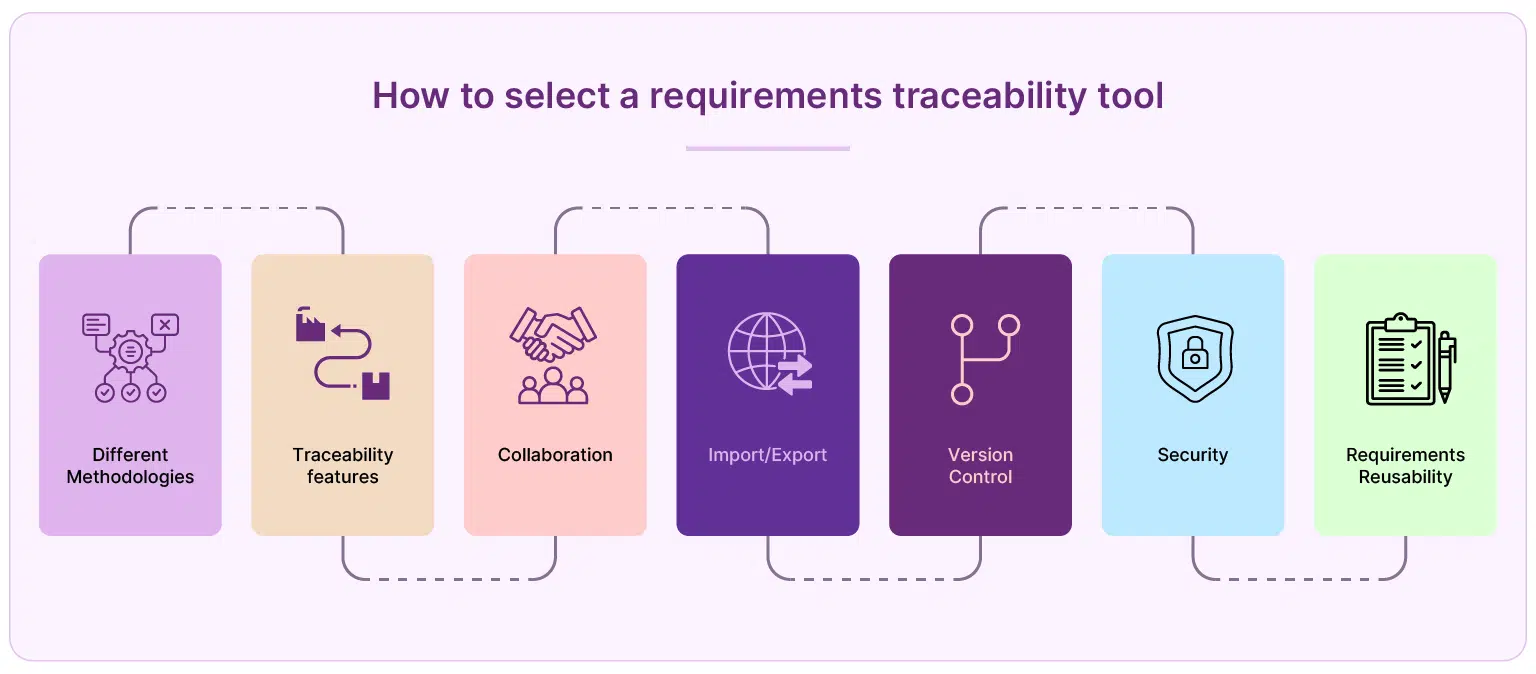
When selecting a traceability tool, you must evaluate several factors including ease of use, customer support, collaborative features, and more. Here are some considerations:

  • Different Methodologies: The tool should be flexible enough to support various software development methodologies. For instance, Agile is a common methodology for IT services, and any tool you acquire needs to adapt to those methodologies.
  • Traceability: The tool should provide comprehensive traceability features, allowing you to track the relationship between requirements, test cases, and other project artifacts. Ideally, they should provide different types of traceability matrices, like horizontal or intersectional matrices.
  • Collaboration: The tool should facilitate collaboration among team members, allowing them to comment and edit traceability matrices and review work items, depending on work permissions.
  • Import/Export Feature: The tool should allow for easy import and export of data, facilitating integration with other tools and systems. This data can include Excel files, document uploading/downloading, and more.
  • Version Control: The tool should provide version management features, which help teams track changes over time and maintain a history of previous versions. For instance, a car manufacturer can track different versions of car software across time.
  • Security: The tool should have robust security features to protect your data and ensure compliance with relevant regulations.
  • Requirements Reusability: The tool should support requirements reuse across different projects or phases, enhancing efficiency.

What is the Best Traceability Tool on the Market?


1. Modern Requirements4DevOps

Modern Requirements offers two distinct traceability matrices.

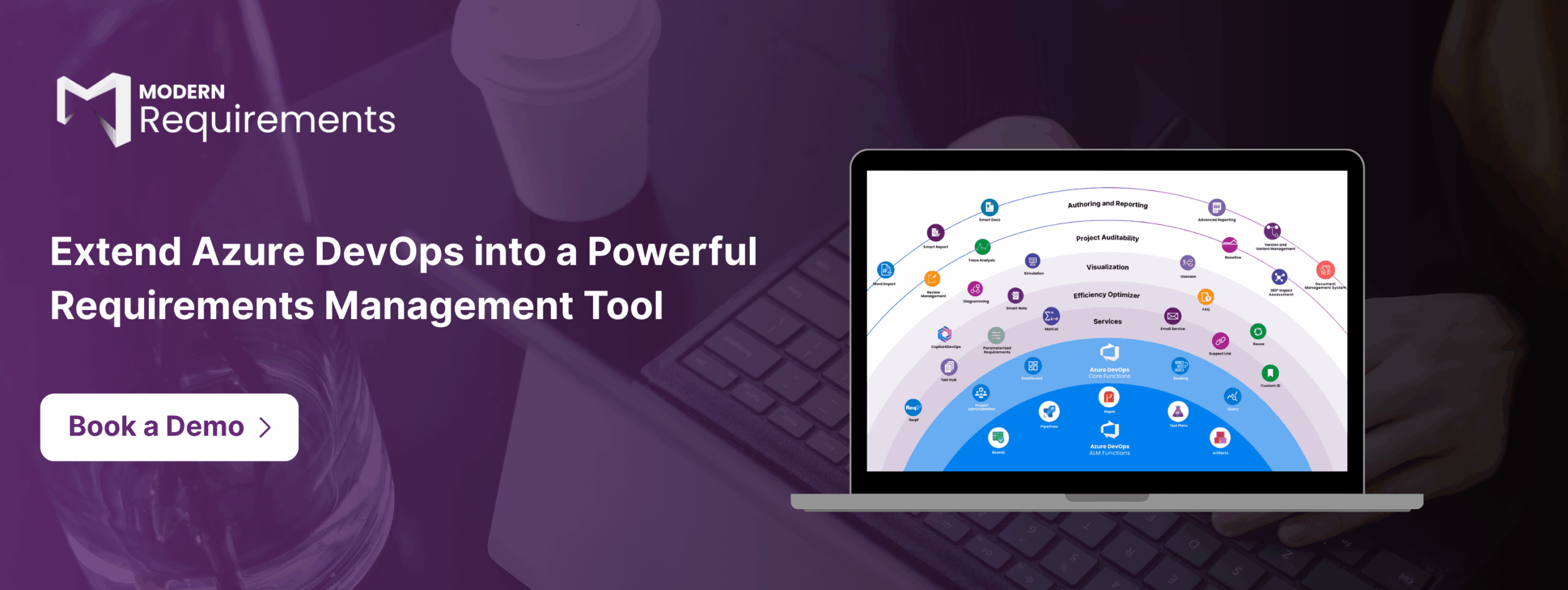
Modern Requirements4DevOps is a multiple award-winning requirements management suite that extends Azure DevOps into a full application lifecycle management tool. In addition to being the only native ADO integration, it combines a simple user interface, traceability, version control, document management, collaboration, reusability, and testing tools.

For end-to-end traceability, it offers two distinct traceability matrices: horizontal and intersectional.

It also offers a groundbreaking AI requirements management tool Copilot4DevOps, which offers instant creation of requirements, use cases, Gherkins, pseudocode, test scripts, and a lot more. It also offers AI impact assessment, which allows users to evaluate the impact of specific work items on projects and categorize them by severity, further increasing the quality of traceability.

Modern Requirements4DevOps inherits the robust privacy and security features from Azure DevOps.

2. ReqSuite® RM

ReqSuite® RM  includes features for managing test cases, risks, standards, and architectural elements, with traceability and communication features.

3. IBM DOORS

As a longtime industry mainstay, IBM DOORS offers traceability, and linking of requirements to tests, code, builds, and other development activities. But despite updates, its architecture still dates back to the 1970s, and lags in areas like system architecture, user interface, customization and more.

4. Jama Connect

It provides a platform for requirements, traceability, risk management, and test management. However, it isn’t natively integrated into Azure DevOps.

5. Doc Sheets

Doc Sheets provides enterprise requirements management features for traceability, version control, test cases, and tasks. However, it also isn’t natively integrated into Azure DevOps.

6. codebeamer

Calling itself a “Collaborative Application Lifecycle Management (ALM),  codebeamer offers features like traceability along with, test management, collaboration, and risk management features.

The Future of Traceability Tools

Requirements traceability tools are essential for software development teams, ensuring that every decision – from requirements to bug fixes – is traceable and accountable. The tools maintain project integrity through comprehensive tracking, streamlined approvals, better collaboration, and more.

Among the available options, Modern Requirements4DevOps uniquely offers powerful traceability capabilities and incorporates AI tools like Copilot4DevOps to enhance project management and extend Azure DevOps into a single source of truth.

What other questions do people usually ask about traceability?


1. What is a traceability tool?

A traceability tool in software development tracks the lifecycle of requirements and work items throughout the lifecycle of a project.

2. What are the 3 types of requirements traceability?

  1. There are three types of requirements traceability:
    1. Forward Traceability
    2. Backward Traceability
    3. Bidirectional Traceability

Also available to teams are two types of traceability matrices:

  1. Horizontal traceability matrix
  2. Intersectional traceability matrix

3. What are RTM tools? What is the main purpose of RTM?

Requirements Traceability Matrix (RTM) tools are software features that link requirements to their associated work items, test cases, and other deliverables. They ensure that project deliverables meet the initial requirements identified by stakeholders.

4. What are the 5 steps of creating a requirements traceability matrix?

When making a new requirements traceability matrix use the following steps:

  1. Define objectives
  2. Standardized data
  3. Integrate with other tools like version control
  4. Automate tracing processes
  5. Regularly update and review the traceability data

Table of Contents

Start using Modern Requirements today

✅ Define, manage, and trace requirements within Azure DevOps
✅ Collaborate seamlessly across regulated teams
✅ Get started for FREE—no credit card required

Recent Articles