Skip to content

EARS Notation: The Practical Guide to Writing Requirements That Cannot Be Misread

EARS Notation - The Practical Guide to Writing Requirements That Cannot Be Misread
Listen to this blog

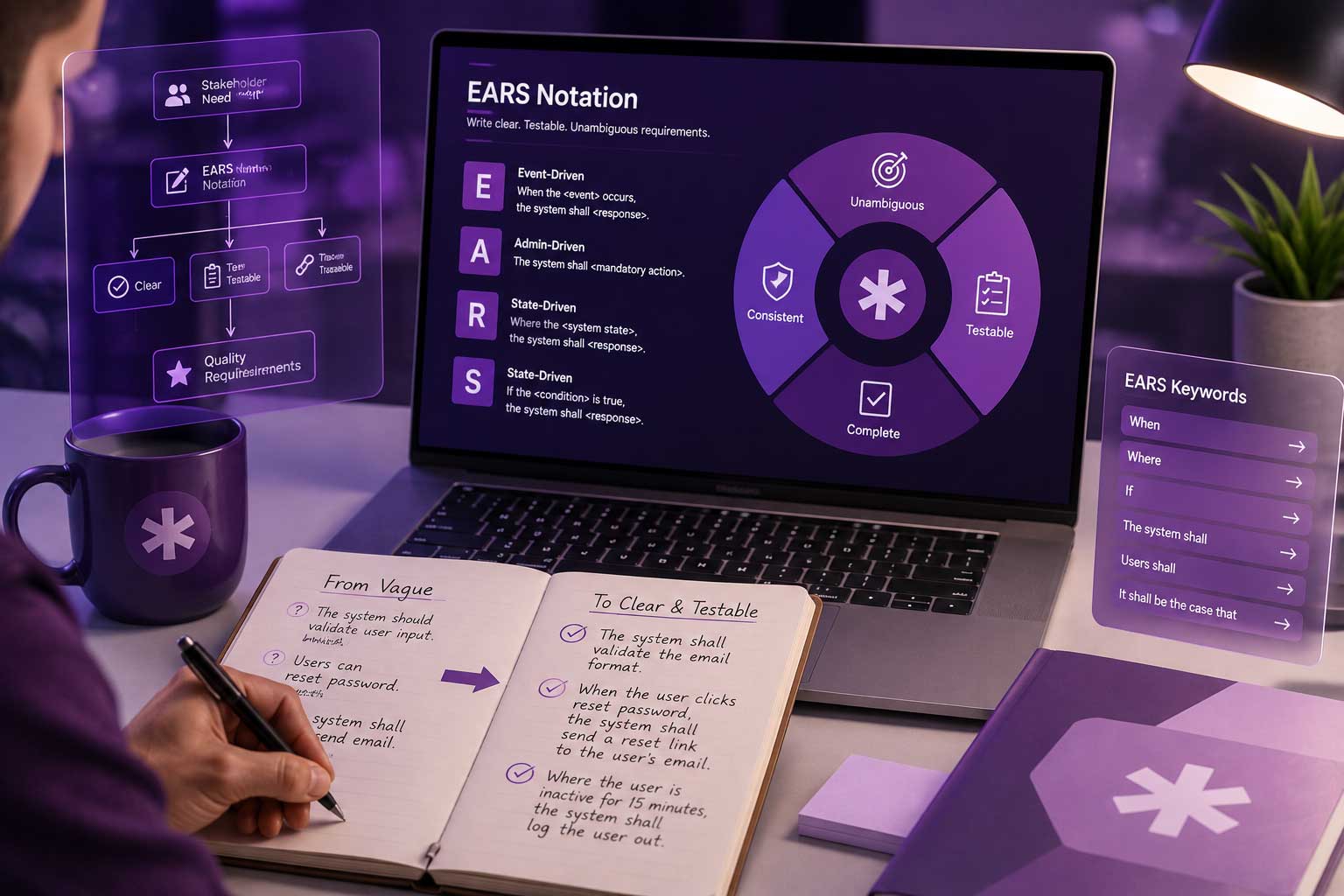
In 2025, Amazon shipped Kiro, an AI coding IDE that refuses to write a line of code until the requirements are written in EARS notation. The reason behind this is simple: a requirement that an AI agent can parse without guessing turns out to be the same sentence a developer, a tester, and an auditor all read the same way. That is what EARS notation offers.

Key Takeaways

What you’ll learn in this article

  • EARS stands for Easy Approach to Requirement Syntax — a sentence structure, not a framework. It standardizes natural-language requirements without making them hard to read.

  • Every EARS requirement follows a consistent order of conditions, triggers, system name, and system response, making intent easier to understand.

  • It offers five core patterns that cover everything — ubiquitous, state-driven, event-driven, optional features, and unwanted behavior — with a sixth that combines them.

  • EARS pairs with ISO 29148, it does not compete with it. The standard says what good looks like; EARS gives you a sentence that gets you there.

  • Tools like Copilot4DevOps from Modern Requirements help teams analyze requirements against the EARS pattern and update them using natural-language instructions.

Want to write EARS-compliant requirements inside Azure DevOps? Get a Demo

What Is EARS Notation?

EARS is a structured way of writing requirements in natural language using a small set of pre-defined sentence patterns. Instead of allowing everyone to write requirements in a different format, EARS asks the author to follow the consistent skeleton below:

WHILE <precondition>, WHEN <trigger>, the <system name> SHALL <system response>

Not every requirement uses every clause. Different combinations create different requirement types. However, the clause order remains fixed. A precondition should be written before a trigger, and a trigger should be written before the system or anything. Basically, when you read the requirement, it should look like you are reading the logic in the sequence. 

One of the reasons the EARS pattern spreads quickly is that it doesn’t require engineers to learn new modeling languages, like UML, specification language, or formal mathematics. Also, its benefits include easier reviews, better consistency, better testability, and easier automation and AI analysis.

Why Was EARS Created? The History Behind EARS Notation

Generally, most requirements are written in plain English. Unfortunately, plain English causes problems like the following:

  • ambiguity
  • missing condition
  • vague words
  • multiple requirements in one sentence
  • hidden assumptions
  • difficult verification
  • inconsistent wording
Funnel-style infographic titled "Overcoming Requirement Challenges," showing six requirement problems on the left converging into "Clear Requirements" on the right. The six challenges are: Ambiguity (unclear language leading to confusion), Missing Conditions (incomplete information causing project delays), Vague Words (imprecise terms hindering effective communication), Multiple Requirements (overcrowded sentences causing complexity), Hidden Assumptions (unstated beliefs leading to unexpected issues), and Difficult Verification (challenges in confirming requirement accuracy) — all resolving into Clear Requirements: precise and understandable project specifications.
How EARS turns six common requirement problems into clear, testable specifications.

For example, consider this requirement: “the system should quickly notify users when payment is deducted from their account.” 

  • Here, what is the meaning of “quickly”? It should be stated in seconds.
  • Which users? It should mention them.
  • What kind of payment?

A tester cannot verify such types of requirements. The developer may interpret it differently, and the customer may expect something else.

So, to solve all of these problems, EARS notation was developed by Alistair Mavin and his team at Rolls-Royce while analyzing the airworthiness requirements for aircraft engine control systems. At that time, they noticed that thousands of requirements looked different on the surface, but most actually followed only a handful of logical patterns.

Instead of teaching engineers formal specification language, they created lightweight syntax that everyone could understand with very little training. It was first introduced publicly at the IEEE Requirements Engineering Conference in 2009.

The EARS patterns (with examples)

EARS Pattern Type
EARS Syntax / Keyword
EARS Requirements Example
When to Use It
Ubiquitous Always active
The <system> shall <response>
  • The ATM shall encrypt all PIN entries.
  • The dosing pump shall log every infusion event to non-volatile memory.
Use it when there is no trigger and no condition — the requirement is always active.
State-driven During a state
While <state>, the <system> shall <response>
  • While the vehicle is in reverse, the system shall display the rear camera feed.
  • While the device battery level is below 20%, the device shall reduce the screen brightness.
When the requirement stays active for as long as the condition lasts.
Event-driven After a trigger
When <trigger>, the <system> shall <response>
  • When the customer submits an order, the order system shall generate an invoice.
  • When a work item moves to Approved, the system shall lock the requirement text.
When behavior happens after an event occurs. The trigger is a moment, not a stretch of time.
Unwanted behavior Fault handling
If <trigger>, then the <system> shall <response>
  • If an uploaded file size exceeds 25 MB, then the system shall reject it and display a size-limit message.
  • If the sensor returns no reading for three cycles, then the controller shall fall back to the modeled value.
For faulty conditions, invalid inputs, timeouts, or misuse — anything you don’t want to happen but that will. The pattern teams skip, and where the expensive gaps live.
Optional feature Variant-specific
Where <feature is present>, the <system> shall <response>
  • Where the device includes a fingerprint sensor, the app shall offer biometric sign-in.
When products ship in variants with optional features.
Extended EARS Combined conditions
While <state>, when <trigger>, the <system> shall <response>
  • While the account is locked, when a sign-in is attempted, the system shall log the attempt and notify the account owner.
When several conditions exist together.


Most people confuse EARS with ISO 29148, but they are not competitors. Instead, they complement each other. ISO/IEC/IEEE 29148 defines characteristics related to what makes a good requirement. On the other hand, EARS provides a practical sentence structure that helps authors meet many of these quality characteristics.

Common EARS Mistakes and When Not to Use EARS

When well-defined notation is not followed properly, it can also produce weak requirements. Teams generally face challenges below while implementing EARS patterns:

  • Combining multiple requirements: Make sure each requirement focuses on a single expected outcome. If any statement describes several actions, the team should split it into separate requirements so each can be reviewed and tested independently. 
  • Using “should” instead of “shall”: “Should” represents a recommendation or goal, but “shall” expresses a mandatory requirement. So, both should be used properly.
  • Writing vague keywords or conditions: Instead of writing phrases like “quickly,” “efficiently,” “normally,” “adequately,” “sufficient,” “appropriate,” etc., write measurable values.
  • Adding implementation details: Teams generally write how developers should build the system instead of describing testable requirements about what the system should do.
  • Overusing complex patterns: If the requirement contains several nested conditions, make sure to split them and write them into an easier format. 
  • Ignoring verification: Each requirement should be measurable, and there should be a clear way to test requirements.
Ascending bar-chart infographic titled "Common EARS Mistakes and When Not to Use EARS," listing six numbered mistakes: (1) Combining multiple requirements — keep each requirement focused on a single expected outcome and split multi-action statements; (2) Using "should" instead of "shall" — "should" is a recommendation while "shall" is mandatory; (3) Writing vague keywords or conditions — replace terms like "quickly" or "adequately" with measurable values; (4) Adding implementation details — describe what the system should do, not how developers build it; (5) Overusing complex patterns — split heavily nested conditions into simpler requirements; and (6) Ignoring verification — make every requirement measurable and testable.
Six common EARS pitfalls to avoid — from combining multiple requirements to ignoring verification.

How Modern Requirements Help You Write Near-Perfect EARS Requirements

Following the EARS pattern while writing single requirements is not hard. But when teams are working on complex and distributed projects, they generally struggle to write requirements in a consistent format. At this time, it would be advantageous to have some sort of tool support, such as Modern Requirements4DevOps, which works directly within Azure DevOps and helps teams to organize requirements in a better way.

The best part is that it comes with Copilot4DevOps, which is an AI assistant for requirement management within Azure DevOps. It allows teams to analyze requirements against EARS patterns and suggest improvements. Teams can also use natural language instructions to implement suggested improvements using AI and to stay adhered to the EARS framework.

Furthermore, teams can use the Elicit feature of Copilot4DevOps that helps in drafting requirements that follow EARS patterns from the start. When teams need to draft thousands of work items while working on bigger projects, they can directly use AI from Modern Requirements, which makes the work of users so much easier.

Table of Contents

Start using Modern Requirements today

✅ Define, manage, and trace requirements within Azure DevOps
✅ Collaborate seamlessly across regulated teams
✅ Get started for FREE—no credit card required

Recent Articles

Modern Requirements logo mark